Sibeesh Passion

Top Menu

  • Home
  • Search
  • About
  • Privacy Policy

Main Menu

  • Articles
    • Azure
    • .NET
    • IoT
    • JavaScript
    • Career Advice
    • Interview
    • Angular
    • Node JS
    • JQuery
    • Knockout JS
    • Jasmine Framework
    • SQL
    • MongoDB
    • MySQL
    • WordPress
  • Contributions
    • Medium
    • GitHub
    • Stack Overflow
    • Unsplash
    • ASP.NET Forum
    • C# Corner
    • Code Project
    • DZone
    • MSDN
  • Social Media
    • LinkedIn
    • Facebook
    • Instagram
    • Twitter
  • YouTube
    • Sibeesh Venu
    • Sibeesh Passion
  • Awards
  • Home
  • Search
  • About
  • Privacy Policy

logo

Sibeesh Passion

  • Articles
    • Azure
    • .NET
    • IoT
    • JavaScript
    • Career Advice
    • Interview
    • Angular
    • Node JS
    • JQuery
    • Knockout JS
    • Jasmine Framework
    • SQL
    • MongoDB
    • MySQL
    • WordPress
  • Contributions
    • Medium
    • GitHub
    • Stack Overflow
    • Unsplash
    • ASP.NET Forum
    • C# Corner
    • Code Project
    • DZone
    • MSDN
  • Social Media
    • LinkedIn
    • Facebook
    • Instagram
    • Twitter
  • YouTube
    • Sibeesh Venu
    • Sibeesh Passion
  • Awards
  • Linux Azure Function Isolated Dot Net 9 YAML Template Deployment

  • Build, Deploy, Configure CI &CD Your Static Website in 5 mins

  • Post Messages to Microsoft Teams Using Python

  • Get Azure Blob Storage Blob Metadata Using PowerShell

  • Deploy .net 6 App to Azure from Azure DevOps using Pipelines

Microsoft OfficeOffice 365Office Development
Home›Microsoft Office›How to delete a blank page in Word

How to delete a blank page in Word

By SibeeshVenu
July 18, 2015
1297
0
Share:

In this post we will see how we delete a blank page in Microsoft word. It is a simple process, but if you are not aware of this, you will be getting tired of keep on trying our normal delete button. After you try a lot only, you will come to know normal delete button won’t work. To be frank, I too crossed this situation so many times, I tried to delete by selecting the blank page and delete. It didn’t work. then I got a solution, that worked. So I thought of sharing with you that. I hope you will like it.

Sample Word Doc

To test this, we need a word document in which second page is blank. You can see a word document sample below.

Now we need to follow the following steps.

Step 1

Go to view tab from the menu and click on the Draft

You can see that in the above image.

Step 2

If you do first step, your word document becomes as follows.

Now you need to paragraph menu from Home tab.

Step 3

Click on the icon from paragraph menu.

Once you click on that icon, you will get some non printing characters in your word document. Click on the last in your word document and press delete.

Now go back to your home tab and click on show/hide menu and then go to View tab and click print layout option.

That is all now, I hope your blank page is deleted now.

Kindest Regards
Sibeesh Venu
TagsDelete Blank Page in WordOffice DevelopmentWord
Previous Article

How to use shortcode inside any php ...

Next Article

Remove First Character From A String

0
Shares
  • 0
  • +
  • 0
  • 0
  • 0

SibeeshVenu

I am Sibeesh Venu, an engineer by profession and writer by passion. Microsoft MVP, Author, Speaker, Content Creator, Youtuber, Programmer.

Related articles More from author

  • Microsoft OfficeOffice 365Office Development

    Mail Merge in Word 2013

    March 29, 2015
    By SibeeshVenu
  • Microsoft OfficeOffice 365Office Development

    How to Consolidate Data in Excel

    January 29, 2015
    By SibeeshVenu
  • Office 365

    Why Office 365 Calendar Permissions Not Working- Solution

    February 20, 2018
    By Ashish Ratan Singh
  • Office 365SharePoint

    What is SharePoint? Explore its Top 10 Benefits & Advantages

    April 21, 2017
    By Ashish Ratan Singh
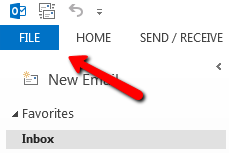
  • File_Menu_In_Outlook
    Office 365Outlook

    Export Contacts From Outlook

    July 15, 2016
    By SibeeshVenu
  • Microsoft OfficeOffice 365

    Office 365 Export PST Tool – Great Results with 100% Accuracy

    March 17, 2017
    By Ashish Ratan Singh
0

My book

Asp Net Core and Azure with Raspberry Pi Sibeesh Venu

YouTube

MICROSOFT MVP (2016-2022)

profile for Sibeesh Venu - Microsoft MVP

Recent Posts

  • React Native Android Release with Azure DevOps and Google Play Store
  • Linux Azure Function Isolated Dot Net 9 YAML Template Deployment
  • Build, Deploy, Configure CI &CD Your Static Website in 5 mins
  • Easily move data from one COSMOS DB to another
  • .NET 8 New and Efficient Way to Check IP is in Given IP Range
  • Async Client IP safelist for Dot NET
  • Post Messages to Microsoft Teams Using Python
  • Get Azure Blob Storage Blob Metadata Using PowerShell
  • Deploy .net 6 App to Azure from Azure DevOps using Pipelines
  • Integrate Azure App Insights in 1 Minute to .Net6 Application

Tags

Achievements (35) Angular (14) Angular 5 (7) Angular JS (15) article (10) Article Of The Day (13) Asp.Net (14) Azure (65) Azure DevOps (10) Azure Function (10) Azure IoT (7) C# (17) c-sharp corner (13) Career Advice (11) chart (11) CSharp (7) CSS (7) CSS3 (6) HighChart (10) How To (9) HTML5 (10) HTML5 Chart (11) Interview (6) IoT (11) Javascript (10) JQuery (82) jquery functions (9) JQWidgets (15) JQX Grid (17) Json (7) Microsoft (8) MVC (20) MVP (9) MXChip (7) News (18) Office 365 (7) Products (10) SQL (20) SQL Server (15) Visual Studio (10) Visual Studio 2017 (7) VS2017 (7) Web API (12) Windows 10 (7) Wordpress (9)
  • .NET
  • Achievements
  • ADO.NET
  • Android
  • Angular
  • Arduino
  • Article Of The Day
  • ASP.NET
  • Asp.Net Core
  • Automobile
  • Awards
  • Azure
  • Azure CDN
  • azure devops
  • Blockchain
  • Blog
  • Browser
  • C-Sharp Corner
  • C#
  • Career Advice
  • Code Snippets
  • CodeProject
  • Cognitive Services
  • Cosmos DB
  • CSS
  • CSS3
  • Data Factory
  • Database
  • Docker
  • Drawings
  • Drill Down Chart
  • English
  • Excel Programming
  • Exporting
  • Facebook
  • Fun
  • Gadgets
  • GitHub
  • GoPro
  • High Map
  • HighChart
  • How to
  • HTML
  • HTML5
  • Ignite UI
  • IIS
  • Interview
  • IoT
  • JavaScript
  • JQuery
  • jQuery UI
  • JQWidgets
  • JQX Grid
  • Json
  • Knockout JS
  • Linux
  • Machine Learning
  • Malayalam
  • Malayalam Poems
  • MDX Query
  • Microsoft
  • Microsoft ADOMD
  • Microsoft MVP
  • Microsoft Office
  • Microsoft Technologies
  • Microsoft Windows
  • Microsoft Windows Server
  • Mobile
  • MongoDB
  • Monthly Winners
  • MVC
  • MVC Grid
  • MySQL
  • News
  • Node JS
  • npm
  • Number Conversions
  • October 2015
  • Office 365
  • Office Development
  • One Plus
  • Outlook
  • Page
  • PHP
  • Poems
  • PowerShell
  • Products
  • Q&A
  • Raspberry PI
  • React
  • SEO
  • SharePoint
  • Skype
  • Social Media
  • Software
  • Spire.Doc
  • Spire.PDF
  • Spire.XLS
  • SQL
  • SQL Server
  • SSAS
  • SSMS
  • Storage In HTML5
  • Stories
  • Third Party Software Apps
  • Tips
  • Tools
  • Translator Text
  • Uncategorized
  • Unit Testing
  • UWP
  • VB.Net
  • Videos
  • Virtual Machine
  • Visual Studio
  • Visual Studio 2017
  • Wamp Server
  • Web API
  • Web Platform Installer
  • Webinars
  • WebMatrix
  • Windows 10
  • Windows 7
  • Windows 8.1
  • Wordpress
  • Writing

ABOUT ME

I am Sibeesh Venu, an engineer by profession and writer by passion. Microsoft MVP, Author, Speaker, Content Creator, Youtuber, Programmer. If you would like to know more about me, you can read my story here.

Contact Me

  • info@sibeeshpassion.com

Pages

  • About
  • Search
  • Privacy Policy
  • About
  • Search
  • Privacy Policy
© Copyright Sibeesh Passion 2014-2025. All Rights Reserved.
Go to mobile version